Video reference — Roku Remote Missing or Not Pairing (1)
Video 2
Video reference — Roku Remote Missing or Not Pairing (2)
Roku
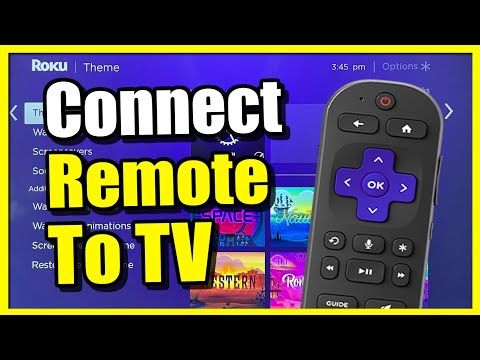
Roku — Connect to WiFi and Run Network Check
Device:
Roku
— Roku streaming player / Roku TV
Problem: WiFi setup / network connection
Use when: Use when Roku is not connected to WiFi, apps will not load, or the guest sees a Roku network error.
Quick diagnosis: Roku network issues are usually wrong WiFi network, wrong password, weak signal, router issue, or the Roku needing a restart.
Reviewed 2026-06-28
Account device — do not buy subscriptions, deregister, factory reset, or use personal account without authorization.
Exact steps
Press Home on Roku remote.
Go to Settings.
Go to Network.
Choose Set up connection.
Choose Wireless unless using wired.
Select the property WiFi network.
Enter WiFi password from property notes.
After connecting, go to Settings > Network > Check connection.
If connection fails, verify password and test another device on WiFi.
If approved, restart Roku and router in the correct order.
Report error code/message if unresolved.
Do not do
Do not remove device from owner account.
Do not buy subscriptions.
Do not change Roku account email/password.
Do not factory reset unless authorized.
Photos to capture
Roku network error.
Settings > Network screen.
Router lights if relevant.
Roku device/TV location.
Escalate when: Escalate if other devices also cannot connect, WiFi password is uncertain, account login is required, or Roku still fails after approved restart.
Video reference — Schlage Keypad / Encode Battery Change (1)
Video 2
Video reference — Schlage Keypad / Encode Battery Change (2)
TV / Remotes
Remote Dropped — Batteries Loose or Wrong Way Round
Device:
Generic
— TV remotes, Roku remotes, Fire TV remotes, soundbar remotes, cable remotes
Problem: Remote dead after being dropped / batteries loose / batteries inserted incorrectly
Use when: Use when the guest says the remote stopped working, the remote was dropped, the battery cover came off, the remote feels loose/rattly, or the remote appears dead even after batteries were replaced.
Quick diagnosis: If a remote was dropped, the batteries may have fallen out, shifted, been reinserted backwards, or lost contact with the terminals. This is one of the easiest fixes to check by phone before sending someone to the property.
Phone support script
Could you open the back of the remote for me? Sometimes when the remote drops, the batteries pop out or go back in the wrong way. Please take both batteries out, then match the plus and minus symbols inside the remote. The flat end usually goes against the spring. Once they are seated firmly, try the remote again.
Reviewed 2026-06-28
Exact steps
Ask the guest if the remote was recently dropped or if the battery cover is loose/missing.
Ask the guest to open the battery compartment.
Confirm both batteries are present.
Ask them to remove both batteries.
Ask them to look for + and - markings inside the battery compartment.
Ask them to reinstall the batteries so the + and - ends match the markings.
Remind them the flat end usually sits against the spring.
Ask them to make sure both batteries are seated firmly and not loose.
Ask them to replace the cover if available.
Ask them to press a button and check for a light or response.
If it still does not work, ask them to try a fresh matching pair of batteries.
If still not working, continue with brand-specific remote pairing or replacement steps.
Do not do
Do not assume the remote is broken until battery direction and seating have been checked.
Do not factory reset the TV, Roku, or Fire Stick because of a dead remote.
Do not buy a replacement remote until simple battery checks and pairing checks are complete.
Do not ask guests to open damaged or leaking batteries with bare hands.
Photos to capture
Battery compartment showing battery direction.
Remote front.
Battery cover if broken/missing.
Any corrosion or leakage.
Escalate when: Escalate if batteries are correctly installed and fresh but remote still does not respond; battery contacts are corroded; battery cover is broken/missing; remote is physically cracked; or guest cannot access the TV/streaming device and no backup remote/app option is available.
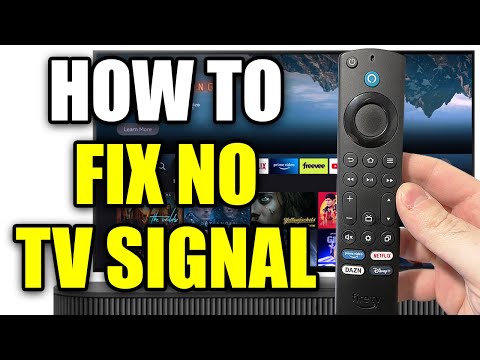
Use when: Use when the TV powers on but shows "No Signal," "No Input," blank HDMI screen, or the guest says the Roku/Fire Stick is not showing.
Quick diagnosis: If the TV has power but says No Signal, the most likely causes are wrong input/source, unplugged HDMI device, loose HDMI cable, or streaming device without power.
Reviewed 2026-06-28
Account device — do not buy subscriptions, deregister, factory reset, or use personal account without authorization.
Exact steps
Turn TV on.
Find the Input/Source button on the TV remote.
Cycle through HDMI 1, HDMI 2, HDMI 3, etc.
Look behind TV if accessible and safe.
Identify which HDMI port contains Roku, Fire TV, cable box, or other device.
Select that same HDMI input.
Confirm streaming device has power.
Reseat HDMI cable/stick gently if accessible.
Take photo of input screen and connected HDMI device if unresolved.
Report if device powers on but still does not display.
Do not do
Do not factory reset TV.
Do not change paid subscriptions.
Do not log into personal streaming accounts.
Do not remove wall-mounted TV.
Photos to capture
TV screen error message.
Remote.
HDMI input/source screen.
Streaming device plugged into HDMI if visible.
Escalate when: Escalate if correct input is selected, HDMI/power is confirmed, and the device still does not show.